Free Resources 👇 👇
HTMl Snippet 👇 👇
					<script src="https://code.jquery.com/jquery-3.6.0.min.js"></script>
<script>

var $ = jQuery,
    clickLock = false,
    currentIndexes = [],
    movingAnimations = [],
    bottomOffset = 200,
    hash = true


// Align the circle to the center of the icon

function getCenter(el){
    return el.position().left + el.width()/2
}


// Move the circle

function moveCircle(parent, el){
    var centerDiff = getCenter(el) - getCenter(parent.find('.elementor-widget-icon-box').eq(0))
        leftOffset = parent.find('.elementor-widget-icon-box').eq(0).offset().left - parent.offset().left

    parent.find('.elementor-widget-divider').css('transform', 'translateX(' + (centerDiff+leftOffset) + 'px)')
}


// Make the icon highlighted

function setActive(menu, index, i){
    menu.addClass('bubbling')
    movingAnimations[i] = true
    setTimeout(function(){
        if(movingAnimations[i]){ menu.addClass('bubble') }
    },50)
    menu.find('.elementor-widget-icon-box').removeClass('active')
    menu.find('.elementor-widget-icon-box').eq(index).addClass('active')
    moveCircle(menu, menu.find('.elementor-widget-icon-box').eq(index))
}


// Remove highlighted if needed

function removeActive(menu, i){
    movingAnimations[i] = false
    menu.removeClass('bubbling bubble')
    menu.find('.elementor-widget-icon-box').removeClass('active')
}

$(document).ready(function(){

$('.icon-menu').each(function(i){

var $this = $(this)

currentIndexes.push(-1)
movingAnimations.push(false)

// Hover Effect

$this.find('.elementor-widget-icon-box').on('mousemove mouseenter', function(){
    setActive($this, $(this).index(), i)
})


// Back to current item on mouse leave

$this.on('mouseleave', function(){
    if(currentIndexes[i] == -1){
        removeActive($this, i)
    }else{
        setActive($this, currentIndexes[i])
    }
})


// Click Effect

$this.find('.elementor-widget-icon-box').on('click', function(e){

    if( !hash ){
        var link = $(this).find('a').attr('href')
        if( link == '' || link[0] == '#' ){ return }
    }

    setActive($this, $(this).index(), i)
    currentIndexes[i] = $(this).index()
    clickLock = true
    setTimeout(function(){
        clickLock = false
    },1500)
})

})
})

function removeSlash(str){
    return str.replace(/^\/+|\/+$/g, '')
}

function getPath(url){
    return removeSlash((new URL(url, location.protocol+'//'+location.hostname)).pathname)
}

$(window).on('load', function(){

$('.icon-menu').each(function(i){

var $this = $(this)

$this.find('.elementor-widget-icon-box').each(function(index){


    // Add # in case of empty link

    var span1 = $(this).find('span.elementor-icon'),
    span2 = $(this).find('.elementor-icon-box-title span')


    if( span1.length ){
        span1.replaceWith($('<a class="elementor-icon elementor-animation-" href="#">' + span1.html() + '</a>'))
    }
    if( span2.length ){
        span2.replaceWith($('<a href="#">' + span2.html() + '</a>'))
    }


    // Hightlight icon in case of page URL

    var link = $(this).find('a').eq(0).attr('href')
    if(link){
        if(link[0] != '#'){
            hash = false
            if(getPath(link) == removeSlash(location.pathname)){
                setActive($this, index, i)
                currentIndexes[i] = index
            }
        }
    }
})


// Avoid initial animation

setTimeout(function(){
    $this.addClass('transition')
},400)

})
})


// Title overflow fixing for v2

$(window).on('load resize', function(){

$('.icon-menu').each(function(i){

var $this = $(this)

$this.find('.elementor-widget-icon-box').each(function(index){

    if($this.hasClass('v2')){

        var offset = 20,
        title = $(this).find('.elementor-icon-box-title'),
        titleLeft = title.offset().left,
        menuLeft = $this.offset().left,
        titleRight = titleLeft + title.outerWidth(),
        menuRight = menuLeft + $this.outerWidth(),
        translateLeft = titleLeft - menuLeft,
        translateRight = menuRight - titleRight

        if($(window).width() < 768){
            offset = 4
        }

        // Right fix

        if(translateRight < offset){
            title.css('transform', 'translateX(' + (translateRight-offset) + 'px)')
        }

        // Left fix

        if(translateLeft < offset){
            title.css('transform', 'translateX(' + (offset - translateLeft) + 'px)')
        }
    }
})

})
})

var delay = 100

$(window).on('load scroll resize', function(e){

setTimeout(function(){

var topIds = [],
    selector = $('[data-elementor-type="wp-page"] > *:not(.icon-menu)')

selector.each(function(){
    if($(window).scrollTop() + $(window).height() - 350 > $(this).offset().top){
        topIds.push($(this).attr('id'))
    }
})

topIds = topIds.filter(element => element !== undefined)

$('.icon-menu').each(function(i){

    var $this = $(this),
        menuIndex

    // Hide menu near window bottom

    if( $('body').height() > $(window).height()+bottomOffset+100 ){
        if($('body').height() < $(window).scrollTop()+$(window).height()+bottomOffset){
            $this.addClass('hidden')
        }else{
            $this.removeClass('hidden')
        }
    }


    // Auto hightlight icon on scroll, load and resize

    if( !hash || clickLock ) {
        if( currentIndexes[i] != -1 && e.type == 'resize'){
            moveCircle($this, $this.find('.elementor-widget-icon-box').eq(currentIndexes[i]))
        }
        return
    }

    topIds.forEach(function(id, index){
        if( menuIndex!=undefined && menuIndex > -1 ) return
        var menuId = topIds[topIds.length - 1 - index]
        menuIndex = $this.find('[href="#'+ menuId +'"]').closest('.elementor-widget-icon-box').index()
        currentIndexes[i] = menuIndex
    })

    if( menuIndex==undefined || menuIndex == -1 ){
        currentIndexes[i] = -1
        removeActive($(this), i)
    }else{
        setActive($(this), menuIndex, i)
    }

})
delay = 0
},delay)
})

</script>
Dynamic CSS Snippet 👇 👇
					selector{
    --background-color: #573EF3;
    --menu-active-color: #FFFFFF;
}
selector{
    width: max-content;
    transform: translateX(-50%);
    transition: none;
    background: var(--background-color);
}
selector:before{
    content: "" !important;
    display: none !important;
}
selector.transition{
    transition: all 0.3s ease-in-out;
}
selector.hidden{
    opacity: 0;
    pointer-events: none;
}
selector .elementor-widget-icon-box.stroke .elementor-icon{
  -webkit-text-fill-color: transparent;
  -webkit-text-stroke-width: 0.08em;
  -webkit-text-stroke-color: currentColor;
}
selector .elementor-widget-icon-box .elementor-icon-box-icon a,
selector .elementor-widget-icon-box .elementor-icon-box-icon span{
    padding-bottom: 9px;
    width: 100%;
    display: flex;
    align-items: center;
    justify-content: center;
    margin: -15px 0 0;
    position: relative;
    z-index: 1;
    transform: translateY(35px);
    transition: none;
}
selector.transition .elementor-widget-icon-box .elementor-icon-box-icon a,
selector.transition .elementor-widget-icon-box .elementor-icon-box-icon span{
    transition: all 0.3s ease-in-out;
}
selector .elementor-widget-icon-box.active .elementor-icon-box-icon a,
selector .elementor-widget-icon-box.active .elementor-icon-box-icon span{
    transform: translateY(0);
}
selector .elementor-widget-icon-box .elementor-icon-box-icon i,
selector .elementor-widget-icon-box .elementor-icon-box-icon svg{
    transition: none;
}
selector.transition .elementor-widget-icon-box .elementor-icon-box-icon i,
selector.transition .elementor-widget-icon-box .elementor-icon-box-icon svg{
    transition: all 0.3s ease-in-out;
}
selector .elementor-widget-icon-box.active .elementor-icon-box-icon i{
    color: var(--menu-active-color);
}
selector .elementor-widget-icon-box.active .elementor-icon-box-icon svg{
    fill: var(--menu-active-color);
}
selector .elementor-icon-box-content{
    width: 125%;
    transform: translate(-50%,8px);
    position: relative;
    left: 50%;
    opacity: 0;
    z-index: -1;
    display: flex;
    align-items: center;
    justify-content: center;
    height: 34px;
    pointer-events: none;
}
selector.transition .elementor-icon-box-content{
    transition: all 0.3s ease-in-out;
}
selector .elementor-widget-icon-box.active .elementor-icon-box-content{
    opacity: 1;
    z-index: 2;
    transform: translate(-50%,0px);
    pointer-events: initial;
}
selector .elementor-icon-box-title a,
selector .elementor-icon-box-title span{
    background: var(--menu-active-color);
    padding: 10px 10px;
    border-radius: 10px;
    display: table;
}
selector a,
selector a:active,
selector a:focus{
    outline: none;
}
selector:not(.v2) .elementor-icon-box-title{
    transform: none !important;
}
selector .elementor-widget-html{
    display: none;
}
@media (max-width: 767px){
selector{
    width: calc(100% + 2px);
    justify-content: center;
}
}


/* Code for version 2 */
selector.v2 .elementor-icon-box-wrapper{
    display: flex;
    flex-direction: column;
}
selector.v2 .elementor-icon-box-content{
    order: -1;
}
selector.v2 .elementor-icon-box-icon a{
    padding: 0;
    margin: 0;
}
selector.v2 .elementor-widget-divider{
    display: none;
}
selector.v2 .elementor-widget-icon-box .elementor-icon-box-icon a,
selector.v2 .elementor-widget-icon-box .elementor-icon-box-icon span{
    padding: 30px 0 5px;
    margin: -44px 0 0;
    transform: translateY(0);
}
selector.v2 .elementor-widget-icon-box.active .elementor-icon-box-content {
    transform: translate(-50%,-20px);
}
selector.v2 .elementor-icon-box-title{
    border: 5px solid var(--background-color);
    border-radius: 17px;
    position: relative;
    box-shadow: 0 -15px 30px 0 rgba(0, 0, 0, 0.1);
}
selector.v2 .elementor-icon-box-title:before,
selector.v2 .elementor-icon-box-title:after{
    content: "";
    position: absolute;
    bottom: 9px;
    width: 13px;
    height: 13px;
    background: transparent;
    border-radius: 50%;
    z-index: -1;
}
selector.v2 .elementor-icon-box-title:before{
    left: -18px;
    box-shadow: 7px 7px var(--background-color);
}
selector.v2 .elementor-icon-box-title:after{
    right: -18px;
    box-shadow: -7px 7px var(--background-color);
}
selector.v2 .elementor-icon-box-content {
    align-items: flex-end;
    width: 200px;
}
selector.v2 .elementor-icon-box-wrapper{
    position: relative;
}
selector.v2 .elementor-icon-box-wrapper:before{
    content: "";
    position: absolute;
    top: 5px;
    width: 8px;
    height: 8px;
    border-radius: 50%;
    z-index: 3;
    left: 50%;
    background: var(--menu-active-color);
    transform: translate(-50%,35px);
    pointer-events: none;
    opacity: 0;
    transition: none;
}
selector.v2 .elementor-widget-icon-box.active .elementor-icon-box-wrapper:before{
    opacity: 1;
    transform: translate(-50%,0);
}
selector.transition.v2 .elementor-icon-box-wrapper:before{
    transition: all 0.3s ease-in-out;
}
selector.v2 .elementor-icon-box-icon{
    position: relative;
}
selector.v2 .elementor-icon-box-icon:before,
selector.v2 .elementor-icon-box-icon:after{
    content: "";
    position: absolute;
    top: -27px;
    width: 5px;
    height: 5px;
    border-radius: 50%;
    z-index: 3;
    background: transparent;
    transform: translate(-50%,35px);
    pointer-events: none;
    opacity: 0;
    transition: none;
}
selector.v2 .elementor-icon-box-icon:before{
    box-shadow: 2px -2px var(--menu-active-color);
    left: calc(50% - 7px);
}
selector.v2 .elementor-icon-box-icon:after{
    box-shadow: -2px -2px var(--menu-active-color);
    left: calc(50% + 7px);
}

selector.v2 .elementor-widget-icon-box.active .elementor-icon-box-icon:before,
selector.v2 .elementor-widget-icon-box.active .elementor-icon-box-icon:after{
    opacity: 1;
    transform: translate(-50%,0);
}
selector.transition.v2 .elementor-icon-box-icon:before,
selector.transition.v2 .elementor-icon-box-icon:after{
    transition: all 0.3s ease-in-out;
}

@media (max-width: 767px){
selector.v2{
    border-radius: 0;
    padding-left: 10px;
    padding-right: 10px;
}
}


/* Code for version 3 */
selector.v3{
    --default-text-color: #000;
    --active-icon-color: #fff;
}
selector.v3{
    padding-bottom: 3px;
}
selector.v3 .elementor-icon-box-content{
    opacity: 1;
    z-index: 1;
}
selector.v3 .elementor-icon-box-title a,
selector.v3 .elementor-icon-box-title span{
    background: none;
    color: var(--default-text-color);
}
selector.v3 .elementor-widget-icon-box.active .elementor-icon-box-title a,
selector.v3 .elementor-widget-icon-box.active .elementor-icon-box-title span{
    color: var(--menu-active-color);
}
selector.v3 .elementor-widget-icon-box .elementor-icon-box-icon a,
selector.v3 .elementor-widget-icon-box .elementor-icon-box-icon span{
    padding-bottom: 32px;
    margin-top: -19px;
}
selector.v3 .elementor-widget-icon-box.active .elementor-icon-box-icon a,
selector.v3 .elementor-widget-icon-box.active .elementor-icon-box-icon span{
    transform: translateY(16px);
}
selector.v3 .elementor-icon-box-content{
    transform: translate(-50%,0px);
}
selector.v3 .elementor-widget-icon-box.active .elementor-icon-box-content{
    transform: translate(-50%,-3px);
}
selector.v3 .elementor-widget-divider .elementor-widget-container:before{
    content: '';
    position: absolute;
    background: var(--menu-active-color);
    border-radius: 100%;
    top: 5px;
    left: 5px;
    height: calc(100% - 5px*2);
    width: calc(100% - 5px*2);
}
selector.v3 .elementor-widget-divider{
    top: -24px;
}
selector.v3 .elementor-widget-divider:before {
    top: -6px;
    left: -24px;
}
selector.v3 .elementor-widget-divider:after{
    z-index: -1;
    top: -6px;
    right: -24px;
}
selector.v3 .elementor-widget-icon-box.active .elementor-icon-box-icon i{
    color: var(--active-icon-color);
}
@media (max-width: 767px){
selector.v3{
    padding-left: 10px;
    padding-right: 10px;
}
}
Divider CSS Snippet 👇 👇
					.icon-menu .elementor-widget-divider{
    transition: none;
}
.icon-menu.transition .elementor-widget-divider{
    transition: margin-top 0.3s ease-in-out, opacity 0.1s ease-in-out;
}
.icon-menu .elementor-widget-divider{
    opacity: 0;
    margin-top: 20px;
}
.icon-menu.bubbling .elementor-widget-divider{
    opacity: 1;
    margin-top: 0px;
}
.icon-menu.bubble .elementor-widget-divider{
    transition: all 0.3s ease-in-out, opacity 0.1s ease-in-out;
}
selector .elementor-widget-container{
    background: var(--background-color);
}
selector:before{
    content: "";
    position: absolute;
    top: 4px;
    left: -29px;
    width: 30px;
    height: 30px;
    background: transparent;
    border-radius: 50%;
    box-shadow: 15px 18px var(--background-color);
}
selector:after{
    content: "";
    position: absolute;
    top: 4px;
    right: -29px;
    width: 30px;
    height: 30px;
    background: transparent;
    border-radius: 50%;
    box-shadow: -15px 18px var(--background-color);
}
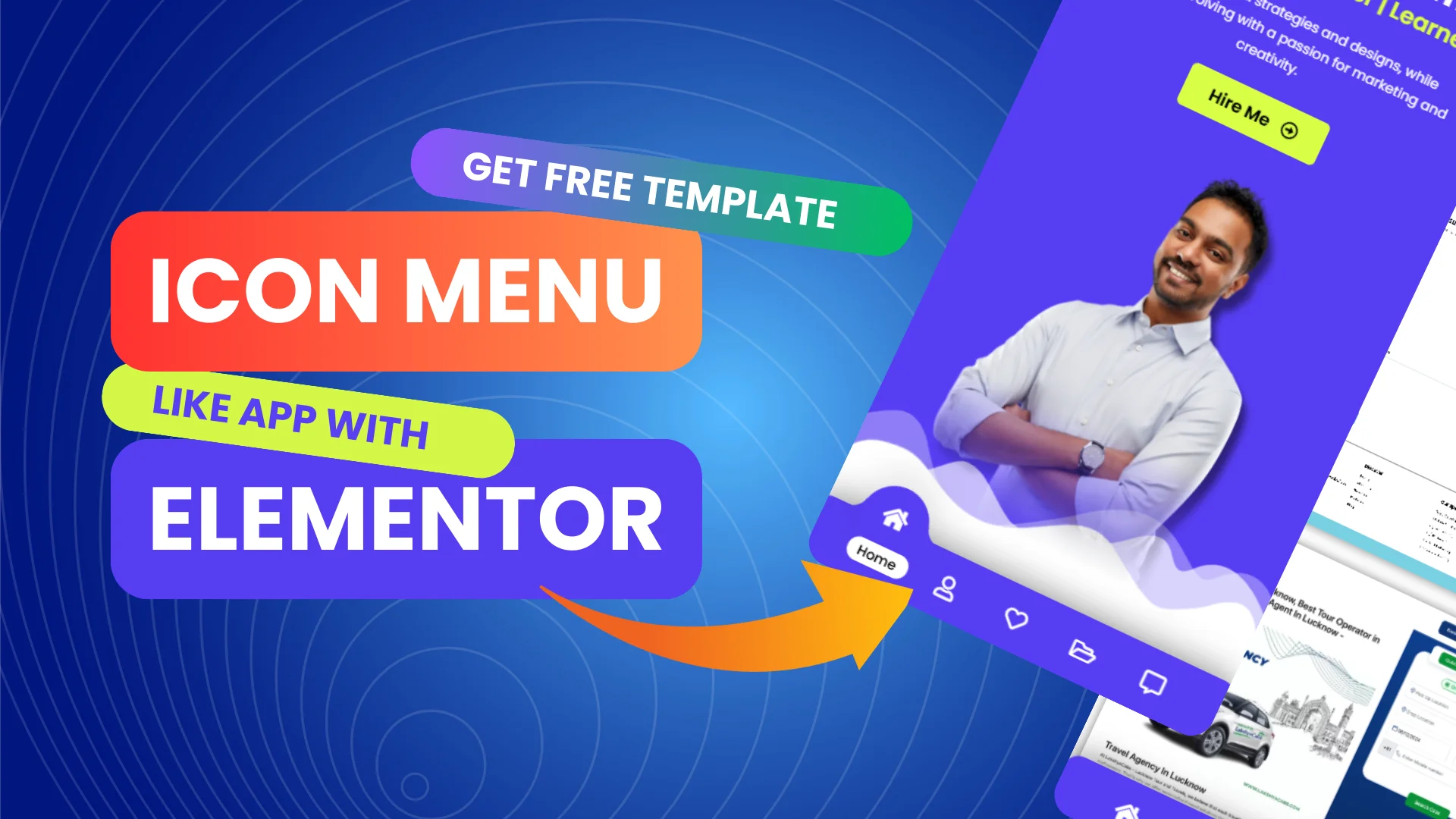
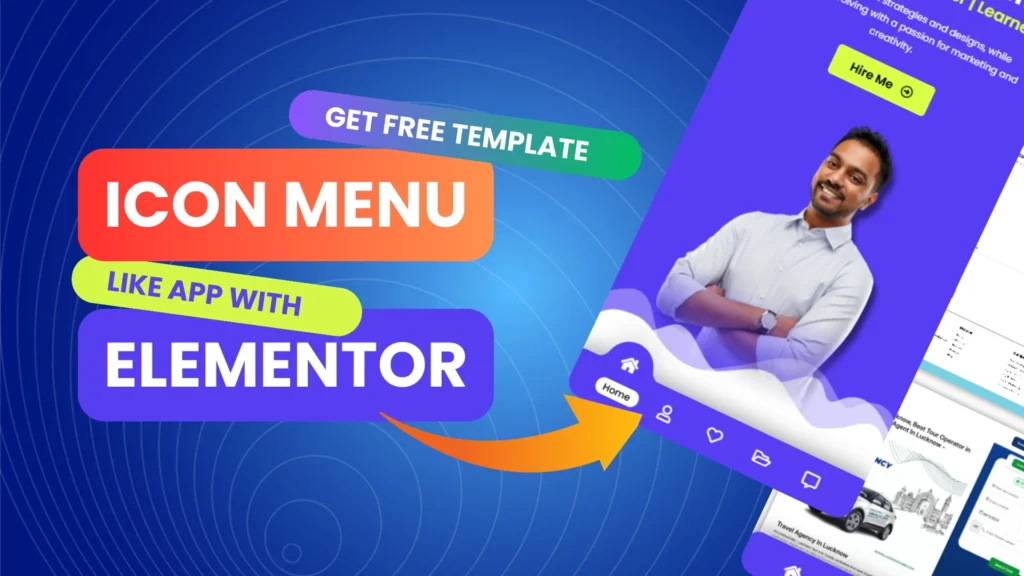
Create a Mobile App-Like Navigation Menu Bar with Elementor 2025 | Download Free Template
If you want to make your website more user-friendly and modern, creating a mobile app-style navigation menu can be a great addition. In this blog, we’ll guide you through the process of designing a clean, simple, and functional navigation bar using Elementor. No coding skills are required!
What You’ll Learn
Designing an app-like menu bar – Create a navigation menu that looks and feels like a mobile app.
Custom animations and transitions – Add smooth animations to make interactions more engaging.
Responsive design tips – Ensure the menu works perfectly on mobile, tablet, and desktop devices.
Using free Elementor widgets and CSS – Learn how to make the most of Elementor’s free features.
How to download and import the FREE template – Save time by using our ready-made template.
Step-by-Step Instructions
We’ll walk you through the entire process, from layout design to adding animations. Each step is clearly explained so you can follow along, even if you’re a beginner. By the end, you’ll have a fully functional, mobile-friendly menu bar for your website.
Download the Free Template
To make things even easier, we’re offering a FREE downloadable template for this navigation menu. You can import it directly into Elementor and start customizing it to suit your website’s style.
Why Use an App-Like Navigation Menu?
Better user experience: Visitors find it easier to navigate with a familiar app-like menu.
Mobile-first approach: Ensures your website is mobile-friendly from the start.
Professional appearance: Clean, simple menus make your site look modern and well-structured.
Final Thoughts
A mobile app-style navigation menu can make your website more intuitive and easier to use. With Elementor and a bit of guidance, you can design a fully responsive menu that works across all devices. Use our free template to speed up the process.
If you have any questions or need further guidance, feel free to leave a comment. We’re happy to help you create a website that’s easy to navigate and visually appealing.
Download the template and start building your new menu today!